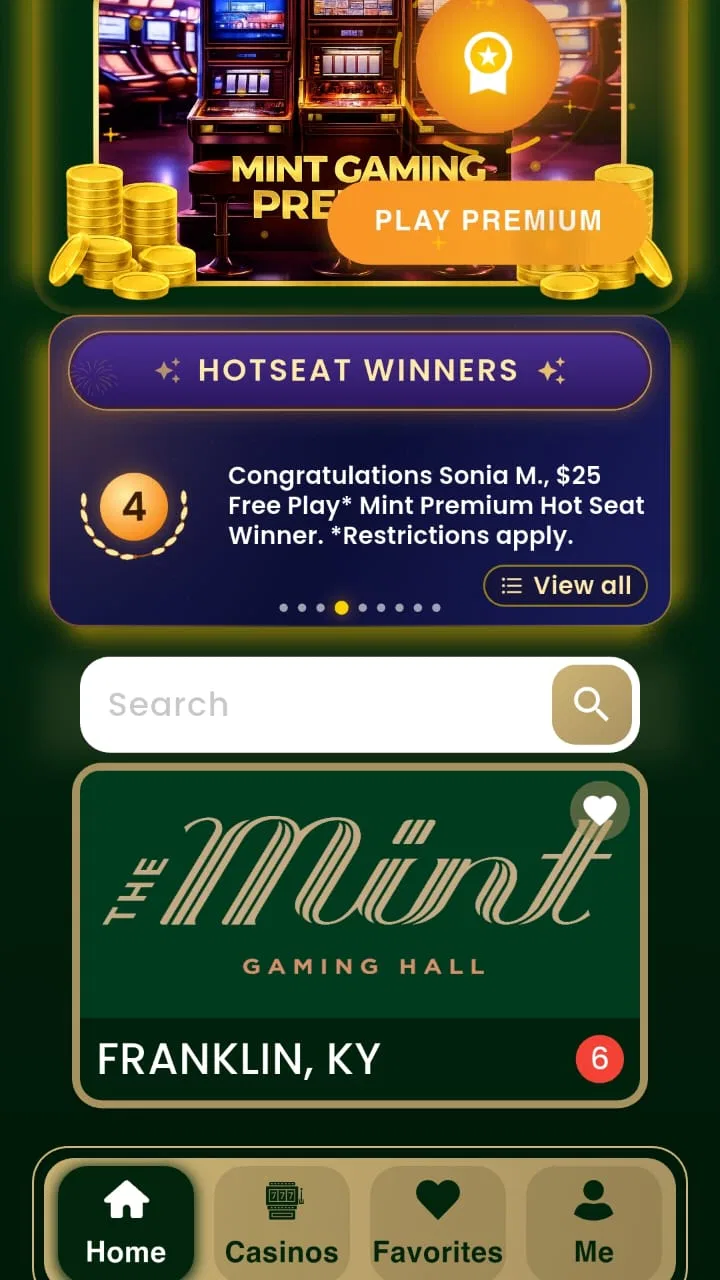
Mint Gaming
- 4.0
- Rating
- 10.00K
- Installs
- Free
- Price

 Analysis by App-foxy
I approached Mint Gaming as a practical companion for planning a gaming-focused trip rather than as a game to play. Its purpose is to bring together gaming venues, hotels, dining choices, offers, and getaway planning in one lifestyle app. That makes it most interesting for someone who wants to turn a casual gaming visit into a more complete weekend, especially when accommodation and food are part of the decision.
The app comes from ECL Entertainment and is free to install, with optional in-app purchases ranging from $1.99 to $99.99 per item. It is aimed at adults, carrying a Mature 17+ rating, and it has reached over ten thousand installs. I would not treat those figures as proof that it will suit every traveler, but they do give useful context: this is a focused, relatively small app rather than a universal travel platform.
How Mint Gaming feels when planning a trip
I start by treating Mint Gaming as a planning aid for a specific kind of getaway, not as a booking authority. Its gaming-centered focus can help me shape the idea before I commit, while the next sections look at how to weigh its visible choices, handle details that may affect spending or privacy, and keep control of the final decisions.
You May Also Like

 Blood Strike: 2.5 Anniversary
Blood Strike’s Loadouts Turn Every Drop Into a Tactical Gamble
A close look at Blood Strike’s custom loadouts: how fast access to signature weapons reshapes its battle royale rhythm, rewards preparation, and narrows the gap between fights.

 Pandora - Music & Podcasts
Pandora’s Music Is Easy to Start, but Harder to Recover
Pandora’s strength is its low-effort path from a seed to a station. Its weak spot is how much confidence it asks you to place in connection, setup, and quiet recovery.

 8 Ball Pool
 Is Built on Rivalries, Rematches, and Routine
A close look at the rivalries, rematches, shared routines, and unanswered safety questions that turn a quick pool match into a persistent mobile community.

 Samsung Music
’s Quiet Strength Is Playing What You Already Own
Its reach comes less from spectacle than from dependable access to a personal library. That simplicity is both the app’s strongest retention engine and its ceiling.

 AccuWeather: Weather Radar
AccuWeather Review: A Quick, Clear Forecast for Everyday Decisions
For everyday plans, the best forecast is the one you can understand quickly. AccuWeather makes rain timing, radar, and local conditions easy to act on, with a few trade-offs.

 Hill Climb Racing
Why Hill Climb Racing Still Turns Crashes Into One More Run
A tiny car, a bumpy hill and one more upgrade: Hill Climb Racing keeps resurfacing because its simple chaos makes every near-miss feel personal.
More From Our News Desk
View All News


A focused starting point instead of a general travel search
What I like about the concept is its narrow focus. A normal travel app may help me find a hotel, while a restaurant app may help me choose dinner, but neither is necessarily organized around a gaming getaway. Mint Gaming starts with that particular kind of trip in mind. I can think about the gaming destination first and then consider where to stay, where to eat, and which offers might make the visit more appealing.
That focus changes the way I would use it. I would open it before a weekend away, not necessarily every day. The useful moment is when the trip is still taking shape: deciding whether a destination is worth visiting, checking what kind of lodging fits the plan, and keeping dining and promotional possibilities close to the main activity.
The store summary presents the app as a place to see games, hotels, dining options, offers, and plan a major gaming getaway. In practice, I would read that as a planning hub rather than a replacement for every travel tool on my phone. It can help organize the theme of the trip, but I would still expect to verify important details before committing money or time.
Speed expectations and the first planning pass
I found the app easiest to judge by the amount of work it removes from the first planning pass. Instead of beginning with several unrelated searches, I can use one gaming-oriented place to frame the trip. That should feel faster mentally, even when the app itself is not doing anything especially complicated. The real advantage is reduced switching between hotel, dining, and entertainment searches.
That does not mean every decision becomes instant. A gaming getaway usually involves several variables: the main attraction, the length of the stay, meal timing, budget, and any available offer. Mint Gaming can put those subjects near each other, but I still have to compare them and decide what actually fits. I would not download it expecting a fully automatic itinerary.
For a quick visit, the focused layout could be more useful than a broad travel service. If I already know the destination and only want a general hotel search, however, a mainstream booking app may get me to the answer more directly. Mint Gaming earns its place when the gaming element is central, not incidental.
A realistic weekend scenario
Imagine I am planning a two-night trip with a friend. We know we want gaming to be the main event, but we have not decided whether to stay nearby or make the visit part of a larger getaway. I would use Mint Gaming at the beginning of the process to explore the available gaming choices, look at associated hotel possibilities, and think about dining before we start arguing over individual bookings.
The practical benefit is that the conversation becomes more concrete. Instead of saying, “Let’s find somewhere to go,” we can compare a gaming-centered stay with a shorter visit and identify what needs checking next. I would note promising options, then confirm room conditions, operating details, timing, and final costs through the appropriate booking or venue channels.
This is also where offers may matter. A promotion can influence whether a longer stay makes sense, but I would treat any offer as a reason to investigate, not as an automatic saving. The important questions are whether it applies to the dates, whether it changes the overall cost, and whether it suits the plans I already have.
What happens during heavier use
Mint Gaming is likely to feel busiest when I move repeatedly among gaming information, hotels, dining, and offers while trying to build a complete plan. That kind of session is more demanding than opening the app for a single glance. I would expect the experience to depend partly on the phone, the operating system, and the quality of the connection at the time.
I avoid making claims about exact loading times because the available product information does not provide measurements. My practical advice is to use the app when I have enough time to compare choices rather than when I am already standing outside a venue and need an immediate answer. A focused planning session gives me room to recover if a page needs another attempt or if I decide to check a detail elsewhere.
Heavy use can also mean mental overload rather than technical strain. Offers, lodging, food, and gaming choices all compete for attention. I would make a short list before browsing: preferred dates, approximate spending limit, distance I am willing to travel, and whether the trip is mainly about gaming or a broader vacation. That simple preparation makes the app more useful and reduces aimless scrolling.
Stability, interruptions, and recovery
For a travel-planning app, reliability is not only about whether it opens. It is also about whether I can return to a decision after being interrupted by a phone call, another app, or a conversation with a travel companion. I would use Mint Gaming in stages, because planning a getaway rarely happens in one uninterrupted sitting.
A sensible workflow is to browse first, narrow the choices, and then confirm the important details before making a purchase. If I leave the app and come back later, I would not assume that an earlier screen is still current. Offers and availability can change, and the app should be treated as a useful discovery and planning layer rather than the sole authority for a time-sensitive booking.
Recovery matters especially when I am comparing several possibilities. I would keep notes outside the app for the options I am seriously considering. That may sound old-fashioned, but it protects the plan if I lose my place or need to compare information from another service. Mint Gaming is more valuable when it helps me organize choices than when I expect it to remember every decision for me.
Device requirements and resource expectations
The app supports Android 7.0 and later, which makes it accessible to people who are not using the newest phone. That is helpful for travelers who keep an older device as a backup or who do not upgrade frequently. At the same time, compatibility does not guarantee identical performance across all supported hardware. A newer phone may feel more comfortable during long browsing sessions than an older model with limited free storage or memory.
I would also plan around battery and connectivity in a sensible way. Searching through several sections, checking maps or venue information, and switching between apps can use more battery than a brief glance. Before leaving, I would review the key choices while connected to a reliable network and keep the essential booking details available through the relevant confirmation channels.
The current release is version 2.2.33. I would keep the app updated when possible, particularly before a trip, because travel tools benefit from using the latest available build. An update is not a promise of perfect stability, but it is a practical part of reducing avoidable friction on an important planning day.
Where the app saves effort
The strongest efficiency gain is the connection between categories that are usually separated. A gaming destination may be the reason for the trip, but hotel location and dining convenience can determine whether the experience feels relaxed or rushed. Mint Gaming encourages me to think about those pieces together.
One useful habit is to compare the hotel against the actual rhythm of the visit rather than choosing only by headline price. If I expect late gaming sessions, distance and dining access may matter more than a small difference in room cost. If the visit is short, a nearby option may be worth considering even when a cheaper alternative exists farther away. The app does not make that judgment for me, but its combined focus prompts me to ask the right question.
Another worthwhile workflow is to check offers after I understand the basic plan, not before. Starting with a discount can push me toward a destination or purchase that does not fit my needs. Once I know the dates, group size, and preferred type of stay, I can judge whether an offer genuinely improves the plan.
Where the usual alternatives are better
I would not use Mint Gaming as my only travel application. General hotel and booking platforms are usually better when I need broad inventory, detailed filters, price comparison across many providers, or a familiar reservation history. Restaurant-focused services may also be stronger when the meal itself is the main priority.
Maps and navigation tools remain more appropriate for real-time directions and checking the practical distance between places. A dedicated venue source may be the better choice when I need the latest operational detail. Mint Gaming sits between these tools: it gives the trip a gaming-centered structure, while the alternatives may provide deeper information within one specific category.
That trade-off is not a flaw by itself. A specialized app does not need to beat every general-purpose service at its own specialty. Its value comes from helping me discover and organize a particular kind of getaway. If I am not planning that kind of trip, the extra focus may simply feel unnecessary.
Costs, age rating, and who should use it
The free entry point makes it easy to try without committing to a subscription price. However, the presence of in-app purchases means I would pay attention before confirming anything. The listed purchase range runs from $1.99 to $99.99 per item, so the difference between a small optional transaction and a much larger one can be significant. I would use device purchase protections and check each transaction carefully, especially if someone else can access the phone.
The Mature 17+ rating is an important signal about the intended audience. I would recommend it to adults planning gaming-oriented travel, not to children or families looking for a general vacation planner. The rating also reinforces the need to think carefully about the kind of venue and getaway being considered rather than treating the app as a neutral sightseeing guide.
It is a good fit for a solo traveler who wants to make a gaming visit more organized, a couple planning a themed weekend, or friends trying to coordinate lodging and meals around a shared activity. It is less suitable for someone who only needs ordinary hotel reservations, someone who wants a detailed universal itinerary builder, or someone uncomfortable checking purchase and booking conditions independently.
Small frictions worth knowing before installing
The focused concept can also narrow the experience. If my trip includes many non-gaming attractions, I may need another planning tool to cover the rest. I should not expect one specialized app to replace maps, reservations, confirmations, and personal notes.
There is also a difference between seeing an option and being ready to book it. I would verify the final terms, dates, availability, and total cost before relying on anything I discover. This extra step is not unique to Mint Gaming, but it matters more when an offer or bundled getaway idea makes the plan feel more settled than it really is.
Another limitation is that the app’s usefulness depends on having a clear reason to browse. Without dates or a rough destination in mind, I could spend time looking at possibilities without making progress. I get better results when I enter with a decision to make, such as choosing between a day visit and an overnight stay.
My performance verdict
After considering how I would use it in short checks, longer planning sessions, and interrupted travel preparation, I see Mint Gaming as a specialized organizer rather than a complete booking replacement. Its greatest strength is the way it keeps gaming, lodging, dining, and offers in the same planning conversation. That can make the early stage of a getaway feel more coherent and less scattered.
I would judge its speed by how quickly it helps me reach a sensible shortlist, not by expecting every trip decision to happen inside one screen. I would judge its stability by whether it remains a dependable starting point while I verify details elsewhere. And I would judge its resource demands pragmatically: an older supported phone may run it, but a prepared connection and a little battery awareness are still wise for travel planning.
The average rating is 4.0 from around one hundred forty ratings, with more than fifty written reviews, which suggests a generally positive but not overwhelming response. I would interpret that as encouragement to try the free app, not as a reason to abandon the usual travel tools. My recommendation is straightforward: install Mint Gaming if gaming is the reason for your trip and you want one focused place to shape the surrounding plans. Skip it if you only need a standard hotel search or a broad vacation organizer.
For me, the app works best at the beginning and middle of the process. It helps turn a vague gaming weekend into a list of realistic possibilities, then reminds me to consider the hotel, meals, and available offers together. The final booking decisions still deserve careful checking, but that is a reasonable trade-off for a free, purpose-built lifestyle app that gives this particular kind of getaway a clearer structure.
FAQs for Mint Gaming
01What is Mint Gaming, and what can users do with the app?
Mint Gaming is a mobile gaming platform designed to give users access to a selection of games and related gaming features in one place. Depending on the version and region, it may include casual games, competitive experiences, rewards, events, or account-based progress. Before downloading, users should review the current app-store description because the available content and features can change over time.
02Is Mint Gaming free to download and use?
Mint Gaming may be free to download, but some features, items, subscriptions, or in-game benefits could require payment. The exact pricing depends on the game, platform, and country. I recommend checking the purchase details shown in Google Play or the App Store before confirming any transaction. Parents should also review device purchase settings if children will be using the app.
03Does Mint Gaming require an account or an internet connection?
Many gaming platforms require users to create an account or sign in to save progress, access online features, receive rewards, or synchronize activity across devices. An internet connection may also be necessary for downloading content, multiplayer functions, advertisements, updates, and verification. Some games may work offline, but users should not assume that every feature remains available without a stable connection.
04Is Mint Gaming safe for children and suitable for all ages?
Suitability depends on the specific content included in the current Mint Gaming release, as well as its advertising, chat, social, and purchase features. Check the official age rating, privacy information, and requested permissions before installation. If children use the app, enable parental controls, restrict in-app purchases, and supervise online interactions, especially if the platform includes communication with other players.
05What should I check before downloading Mint Gaming?
Before downloading Mint Gaming, check that your Android or iOS device meets the listed compatibility and storage requirements. It is also worth reviewing recent user feedback, developer information, privacy permissions, subscription terms, and the frequency of updates. Download only from the official Google Play Store or Apple App Store, and avoid unofficial APK files or third-party links that may create security risks.
Pros
- Simple interface makes browsing games quick and easy.
- Supports discovering a variety of gaming content in one place.
- Lightweight design helps it run smoothly on many devices.
- Useful for gamers seeking new titles and gaming-related updates.
- Free access lowers the barrier for trying the platform.
Cons
- Content quality may vary depending on the available game listings.
- Some features may require an account or additional setup.
- The app may feel limited for users seeking advanced gaming tools.
- Notifications could become distracting if enabled frequently.
- Availability and performance may differ by device or region.

Mint Gaming
Gallery